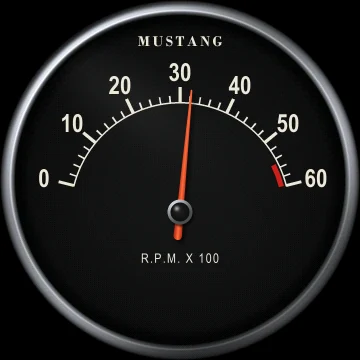
Tachometer
A spring-loaded needle, like a real instrument, graduated in hundreds of rpm (6,000, 7,000 or 8,000 rpm depending on the setting). The red zone is adjustable.
When the shift light is on, the screens flash in the red zone.

Rallypac
The Rallypac's real screens, as they appear on your dashboard: you choose from your phone what each screen shows.
A spring-loaded needle, like a real instrument, graduated in hundreds of rpm (6,000, 7,000 or 8,000 rpm depending on the setting). The red zone is adjustable.
When the shift light is on, the screens flash in the red zone.
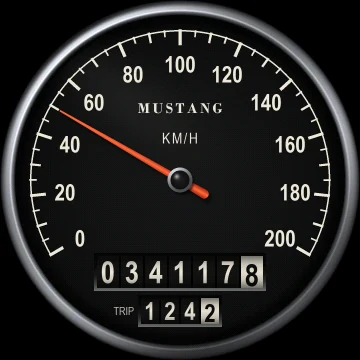
Speed measured by satellite: it depends neither on the speedometer cable nor on tire size. At the bottom, the odometer (with tenths) and the trip.
Scale 160, 200 or 240 km/h, or in mph. Red band from the speed threshold if set.
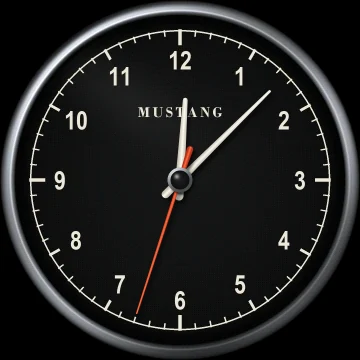
Analog clock with seconds hand, set automatically from the GPS.
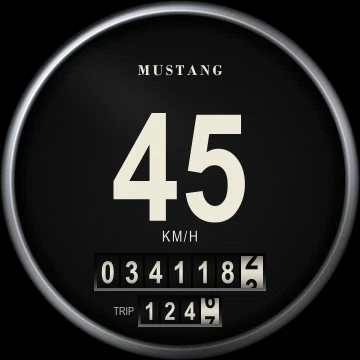
Speed in figures, readable at a glance, with the odometer and trip. The digits turn red above the speed threshold.
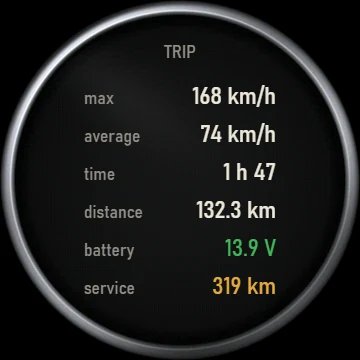
Since the last trip reset: max speed, average, driving time and distance. Below, the battery voltage and the distance to the next service.
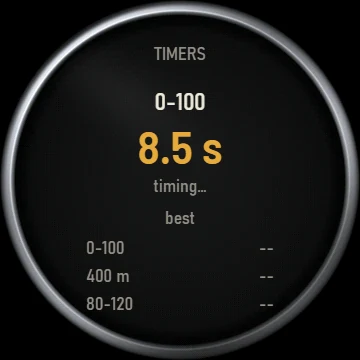
Come to a complete stop, then accelerate: the Rallypac times by itself, using GPS, the 0-100 km/h, the 400 m standing start and the 80-120 km/h rolling acceleration. Records are kept in memory.
If you lift off before the end, the current measurement is abandoned.
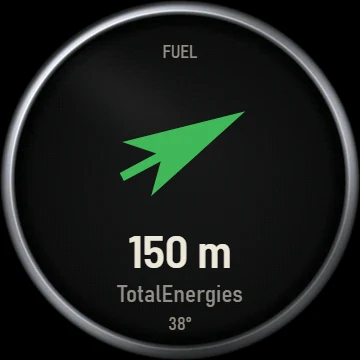
The arrow points to the nearest station, with its distance and brand. Stations are loaded by the app, within 150 km.
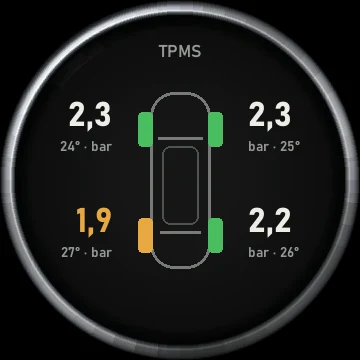
All four wheels at a glance: the pressure and temperature of each tyre, sent wirelessly by the TPMS sensors. Pressure that is too low is shown in orange.
TPMS sensors: accessory sold separately (€49).
Launch pricefrom $164.67 instead of $275.19
The screens
This information pops up on the screens when it arrives, then each screen goes back to its display.
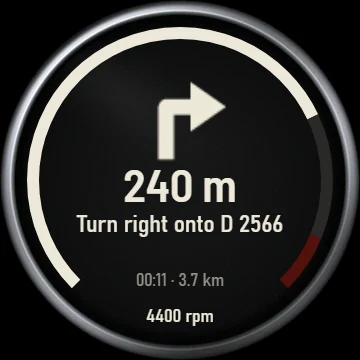
The arrow of the next manoeuvre, the distance, the road name, then the arrival time and distance remaining. Navigation takes the place of the tachometer, whose revs stay visible as a bar around the edge. With no tachometer displayed, navigation is not shown.
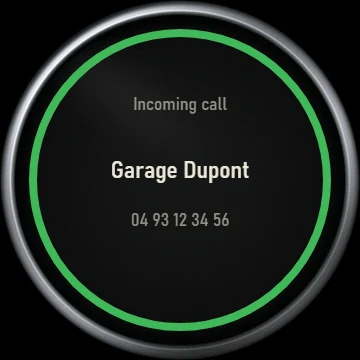
The caller's name and number appear on the speed screen (speedometer or large digits), surrounded by a ring while it rings. Answer with your phone or hands-free kit.
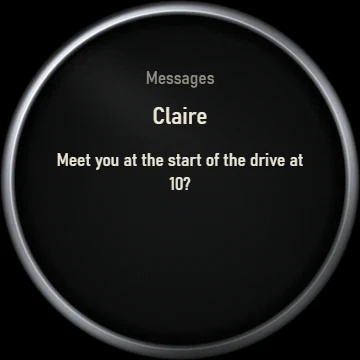
SMS, WhatsApp…: the sender and the text are shown for a few seconds on the speed screen. You choose in the app whether to show the text.
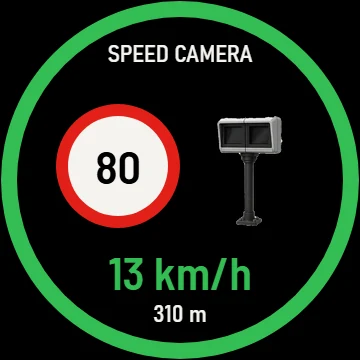
When approaching a zone, the alert appears on both screens: zone type, speed limit and distance. The circle is green if you are within the limit, flashing red otherwise.
Want to see them in action?
Try the interactive demoLaunch pricefrom $164.67 instead of $275.19